

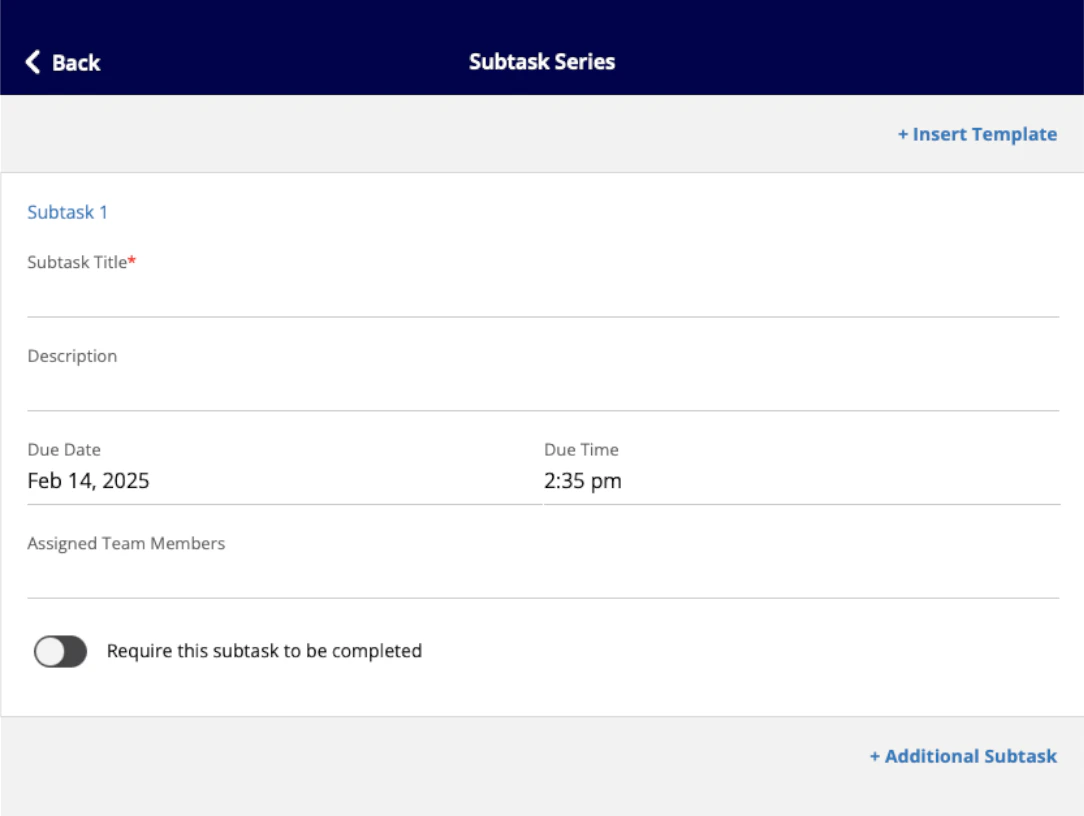
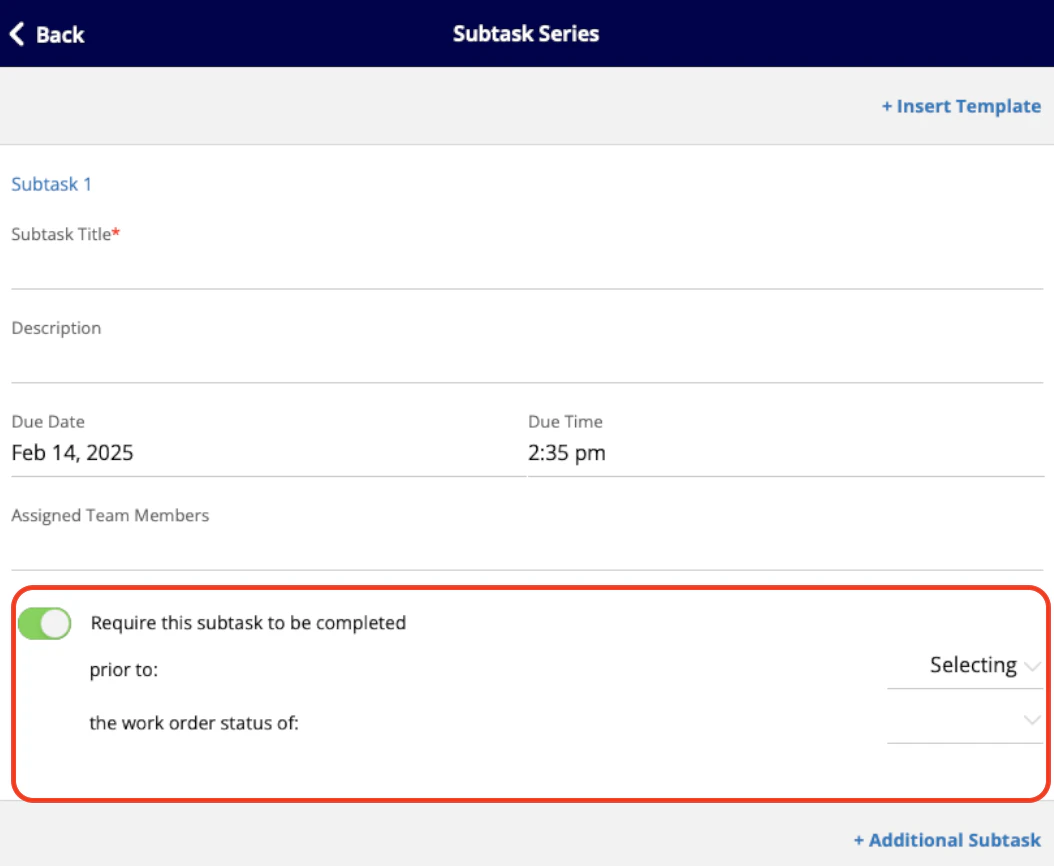
Subtasks are often used as a To-Do list within a job record. Subtasks allow several steps and processes within a job to be noted with a title, description, and deadline. Your service agents will be able to view the subtask, update the status, and add comments. To learn more about subtasks, as well as subtask templates and series, visit the Subtasks article.Documentation Index
Fetch the complete documentation index at: https://fieldpulse.mintlify.app/llms.txt
Use this file to discover all available pages before exploring further.
Creating a Subtask
Related Job or Project
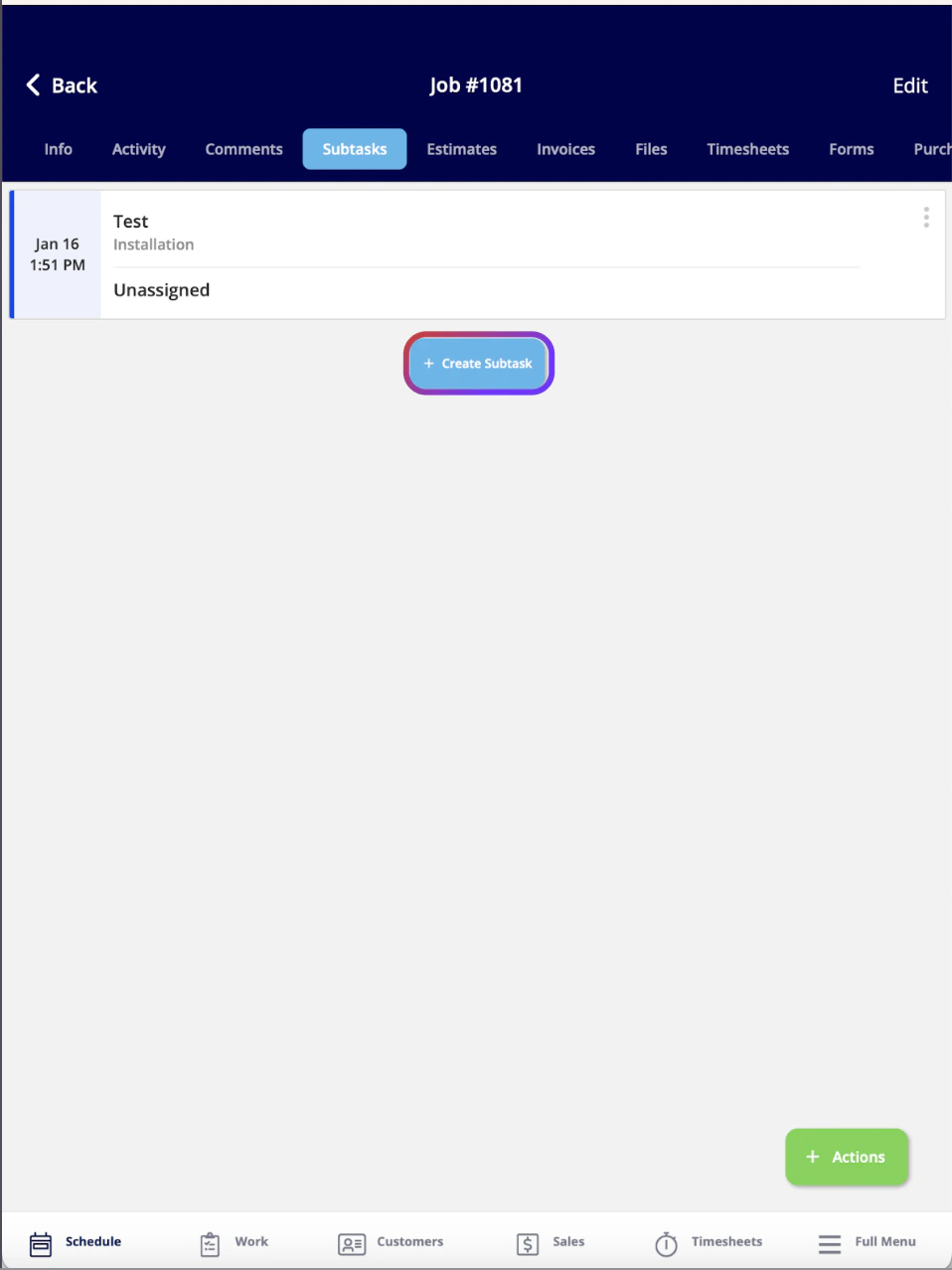
To create a new subtask, you’ll want to click on a job record. From this page, you can select the Subtasks tab.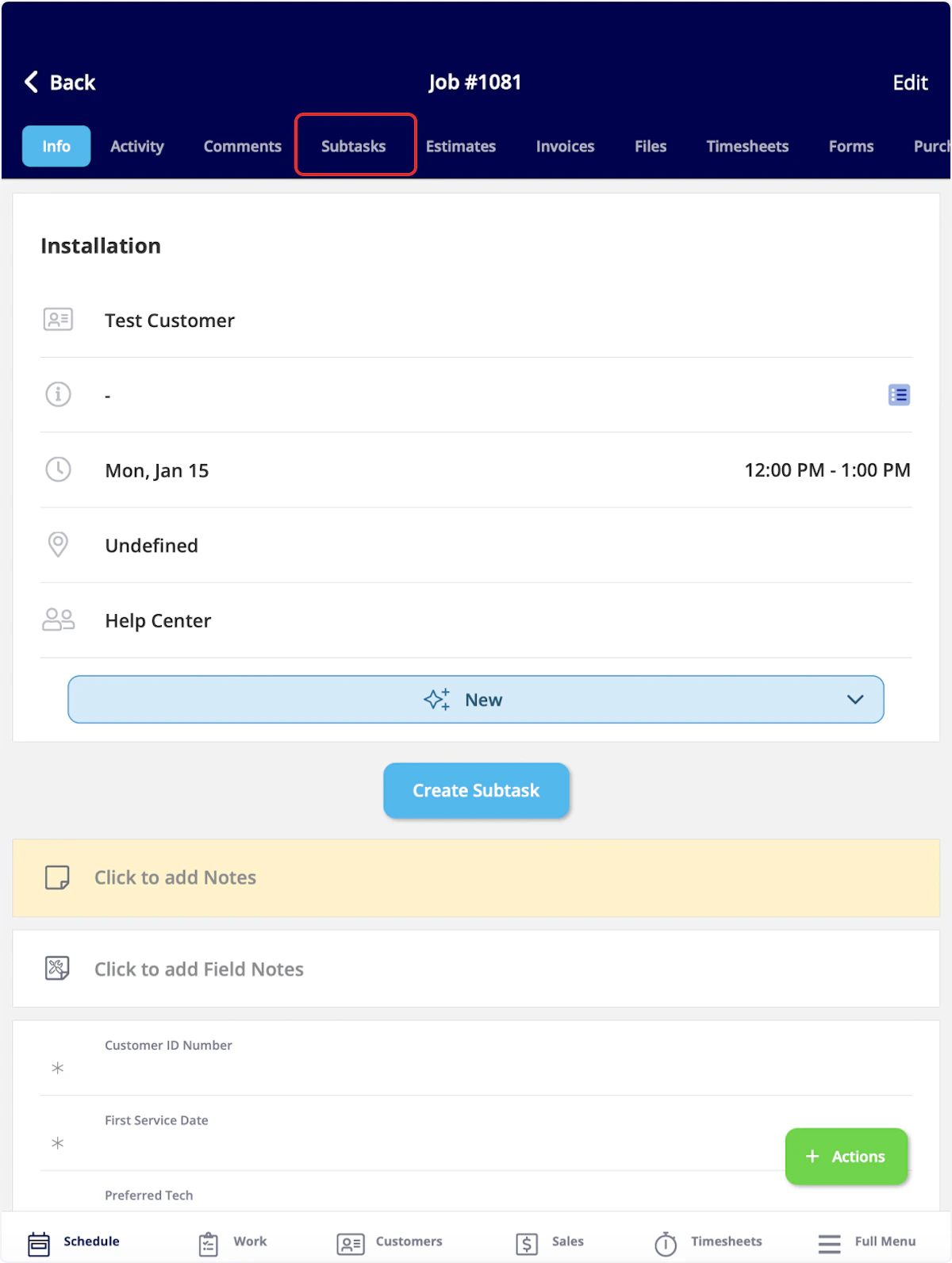
Without a Related Job or Project
To create a subtask that is not attached to a job or project, begin by selecting the Work tab from the bottom menu and then clicking on Subtasks.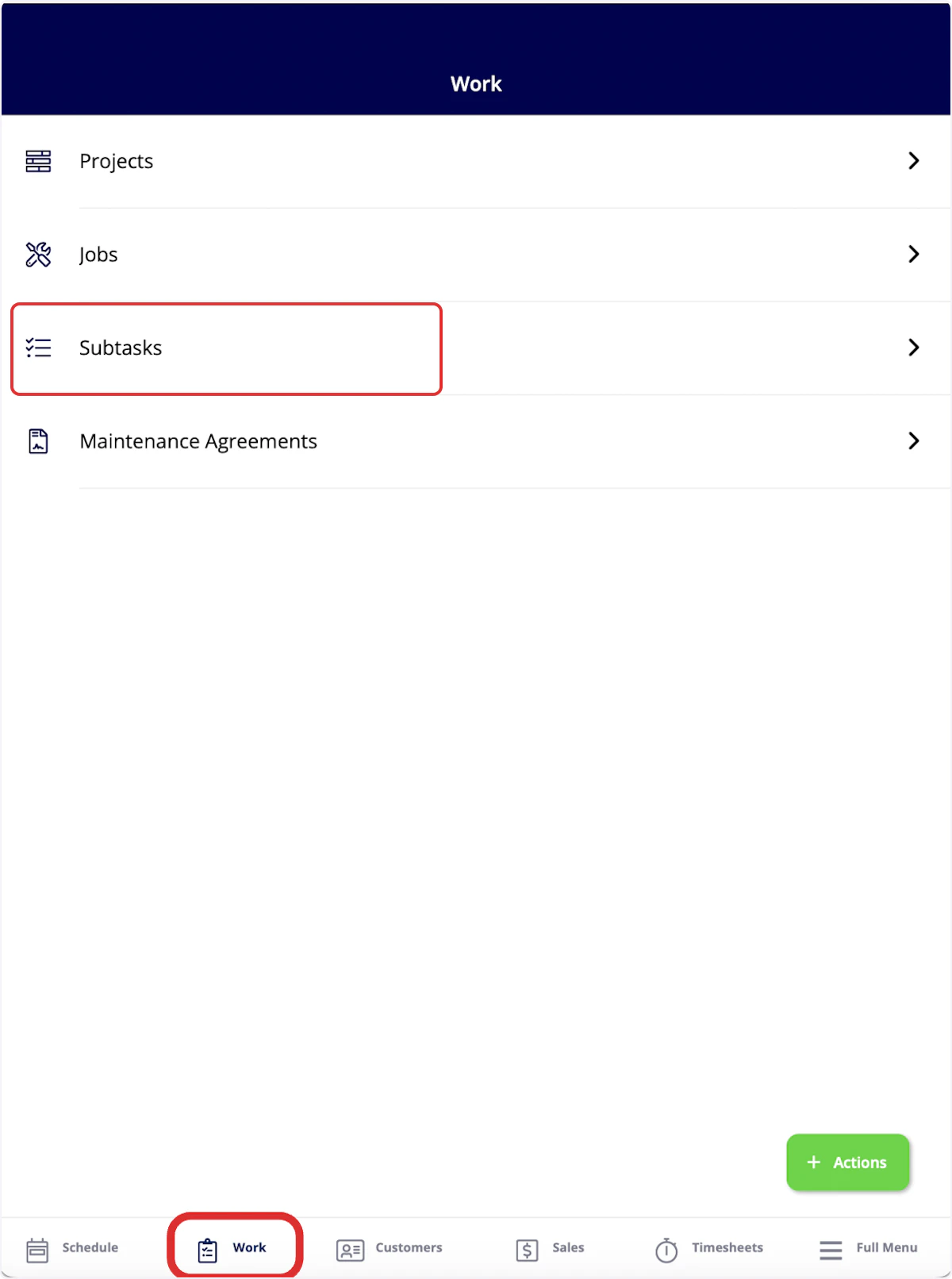
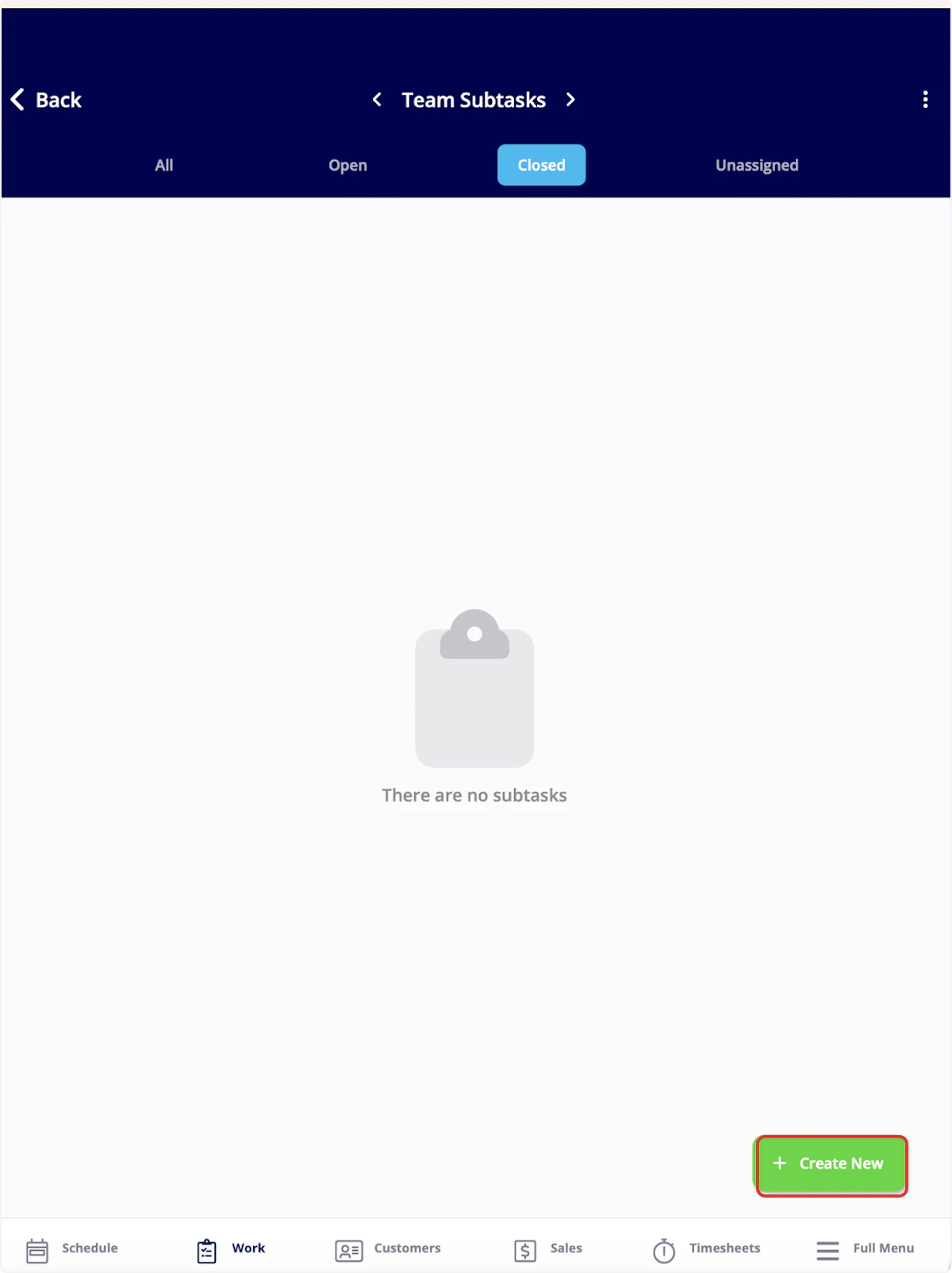
Updating a Subtask
Once your subtask is saved, you can view the subtask information. You can also update the status of the subtask using the status bar. If you’d like to add a comment to the subtask, select Comments from the top menu.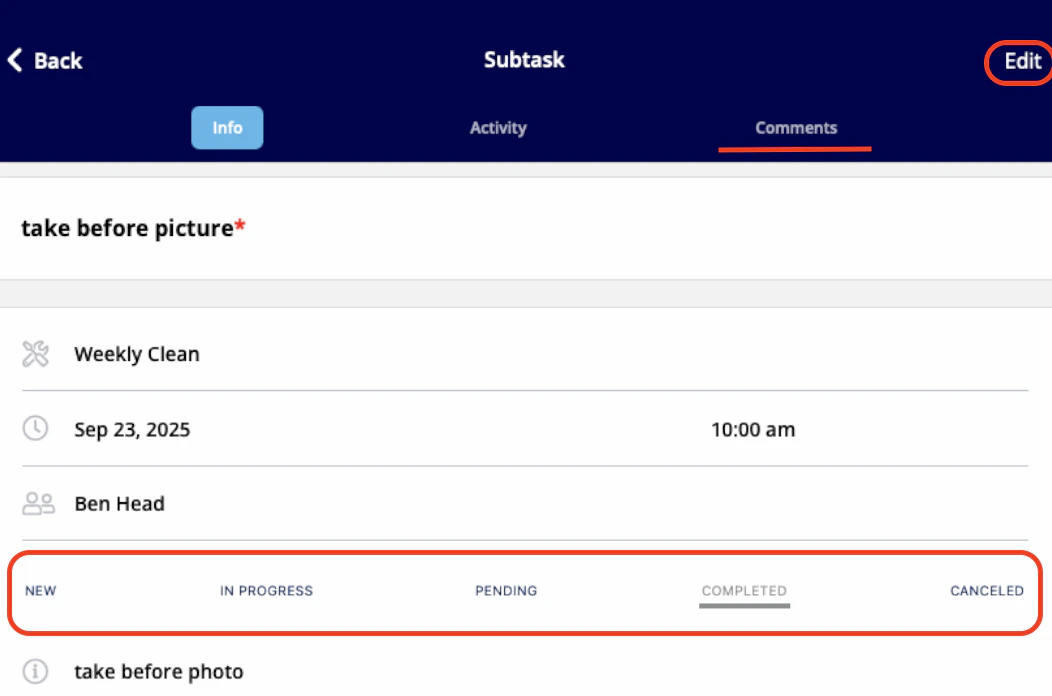
Video Tutorial
Have additional questions? Contact us at support@fieldpulse.com or use the chat feature in the bottom right corner of your screen.