

Use the Customers tab to create reports based on customer data including location, tags, custom fields, and more. Some common customer reports include customers by pipeline status, lead source, and invoice total.Documentation Index
Fetch the complete documentation index at: https://fieldpulse.mintlify.app/llms.txt
Use this file to discover all available pages before exploring further.
Create a Customer Report
Date Range
Begin by selecting the start date range for which you’d like to report on. Click on the calendar icon to select a preset date range and click Load Data.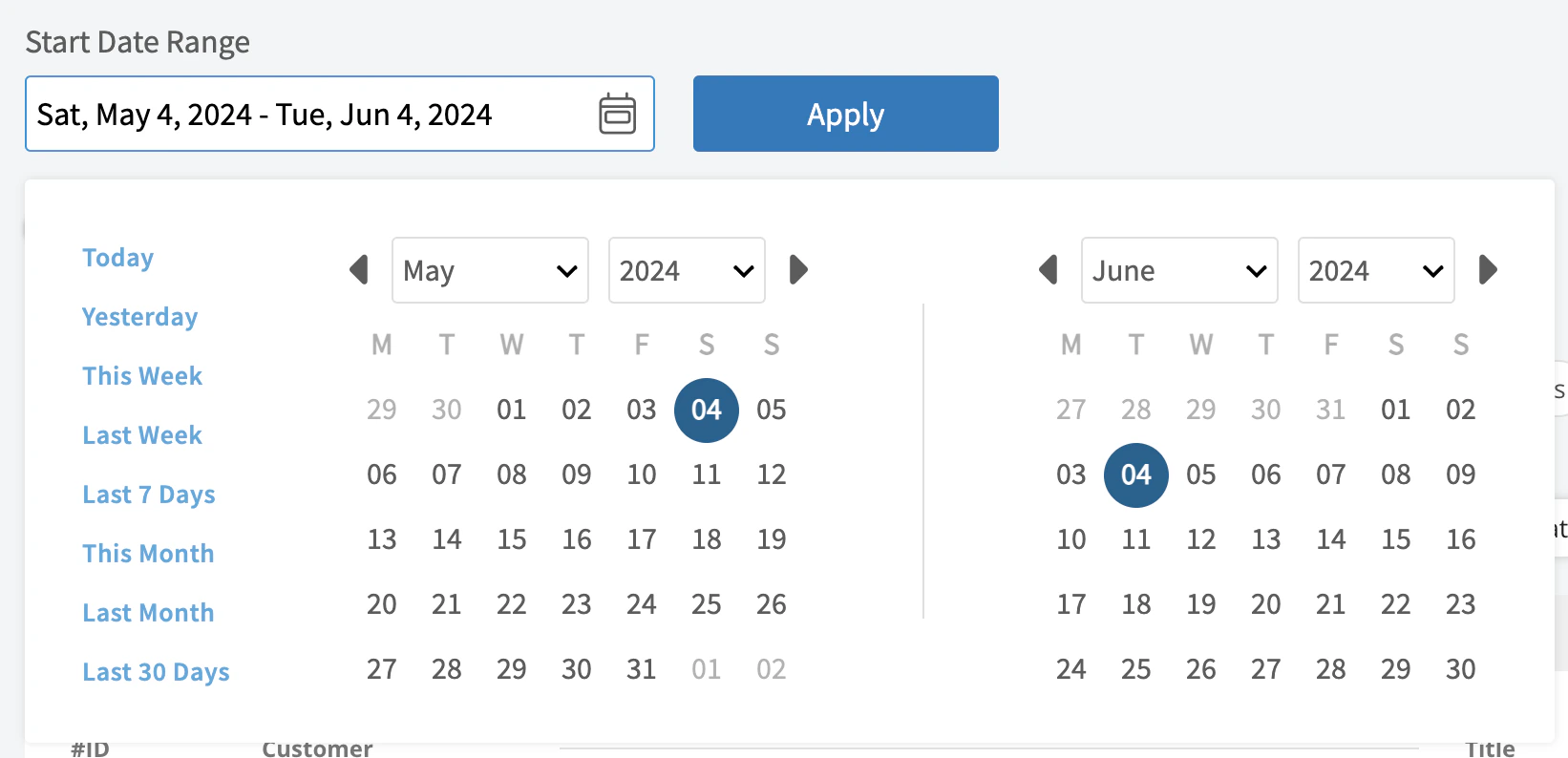
- Today: From 12:00 AM to the current time
- Yesterday: Previous day from 12:00 AM to 11:59 PM
- This Week: From Monday through Sunday of the current week
- Last Week: Previous week
- Last 7 Days: Previous seven days, including today
- This Month: From the first of the current month to the current day
- Last Month: Entire month before the current month
- Last 30 Days: Previous 30 days, including today
- Custom: Use the calendar to select start and end dates
Columns
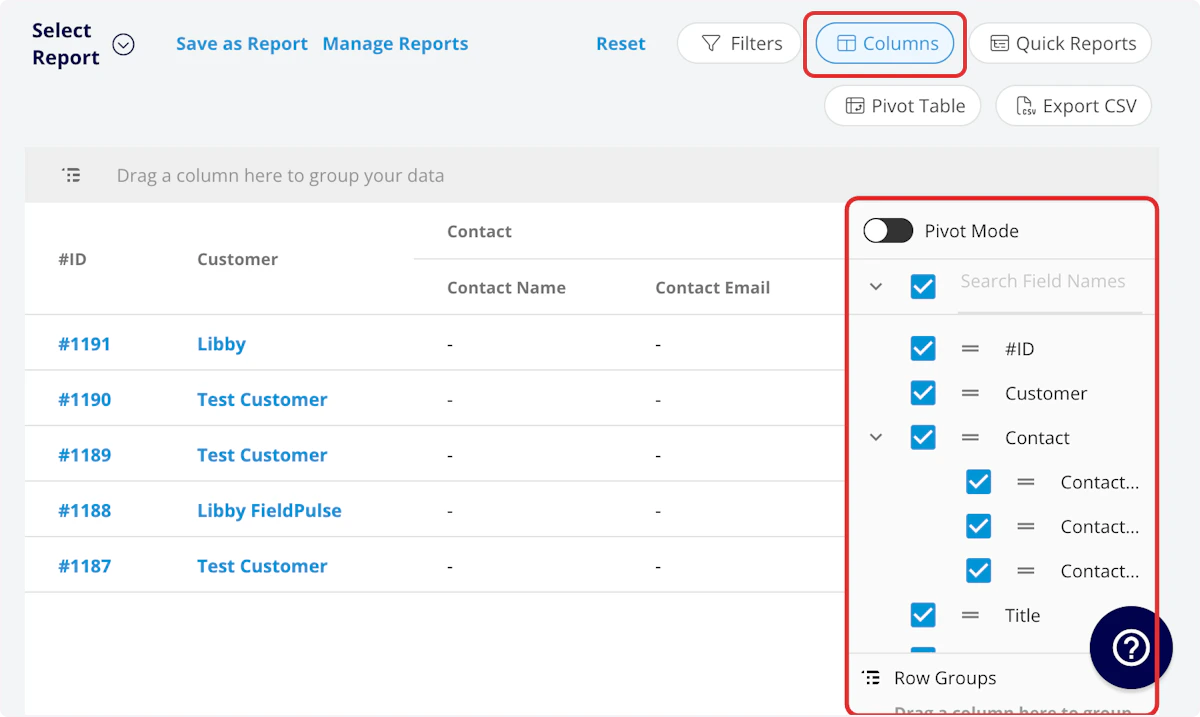
- Display Name: Customer display name (if synced with QuickBooks)
- First Name: Customer first name
- Last Name: Customer first name
- Company Name: Customer company name (if commercial)
- Customer Phone: Customer’s primary phone number
- Customer Email: Customer’s primary email address
- Customer Phone 2: Customer’s secondary phone number
- Customer Email 2: Customer’s secondary email address
- Customer Assigned to: User assigned to the customer record
- Customer Lead Source: Customer lead source
- Customer Pipeline Status: Customer’s custom sales pipeline status
- Customer Next Steps: Next steps listed on custom sales pipeline
- Customer Notes: Notes on customer record
- Customer Job Notes: Job notes on customer record (automatically inserted onto job records)
- Parent Customer: Group and analyze data by the Parent Customer
- Location: Customer service address
- Status: Customer status
- Created At: Date and time the customer record was created in FieldPulse
- Total Invoice Amount: Total amount on related invoice
- Total Estimate Amount: Total amount on related estimate
- Total Invoice Amount Due: Remaining balance on related invoice
-
Estimate - Product
- Estimate - Total Product Cost: Sum of product line item costs on related estimate
- Estimate - Total Product Amount: Sum of product line item prices on related estimate
- Estimate - Total Product Margin: Overall margin on product line items on related estimate
-
Estimate - Service
- Estimate - Total Service Cost: Sum of service line item costs on related estimate
- Estimate - Total Service Amount: Sum of service line item prices on related estimate
- Estimate - Total Service Margin: Overall margin on service line items on related estimate
-
Invoice - Product
- Invoice - Total Product Cost: Sum of product line item costs on related invoice
- Invoice - Total Product Amount: Sum of product line item prices on related invoice
- Invoice - Total Product Margin: Overall margin on product line items on related invoice
-
Invoice - Service
- Invoice - Total Service Cost: Sum of service line item costs on related invoice
- Invoice - Total Service Amount: Sum of service line item prices on related invoice
- Invoice - Total Service Margin: Overall margin on service line items on related invoice
- Customer Tags: Tags attached to the customer record
- Account Type: Residential or Commercial
- Custom Fields: User-created fields related to the customer record
- Tax Exempt: Whether the customer is marked as tax exempt
Filters
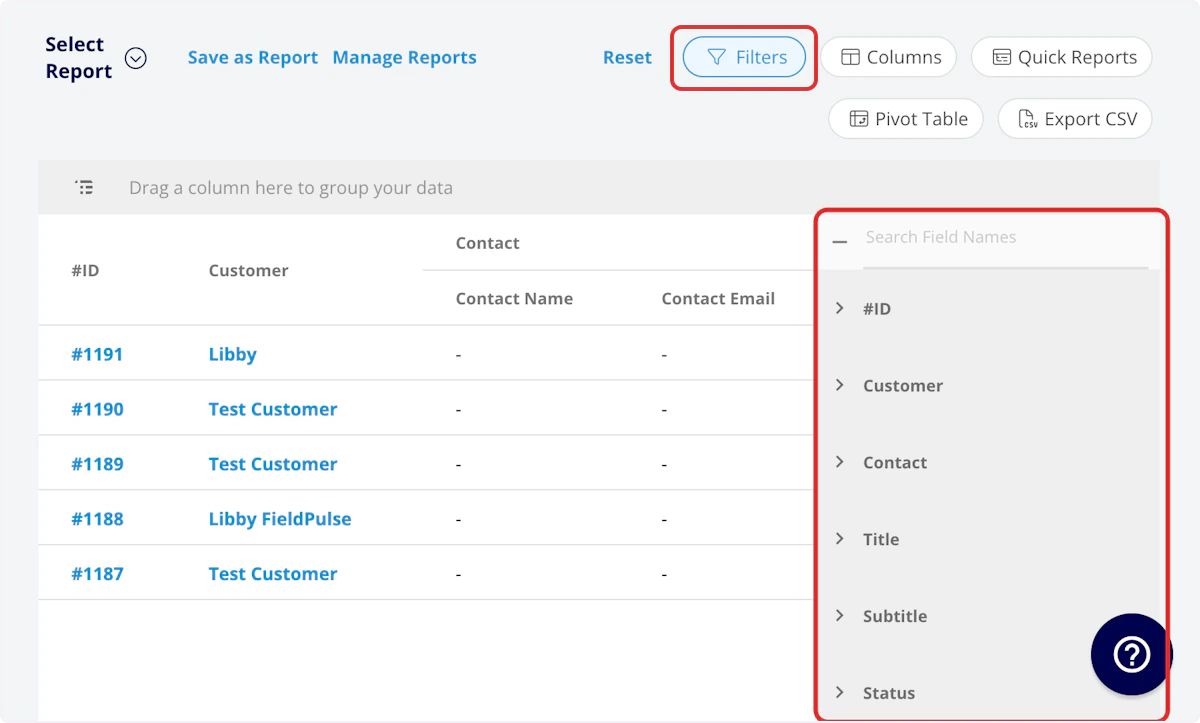
- Display Name: select name
- First Name: select name
- Last Name: select name
- Company Name: select name
- Customer Phone: select phone number
- Customer Email: select email address
- Customer Phone 2: select phone number
- Customer Email 2: select email address
- Customer Assigned to: filter by contents
- Customer Lead Source: select lead source
- Customer Pipeline Status: select status
- Customer Next Steps: filter by contents
- Customer Notes: filter by contents
- Customer Job Notes: filter by contents
- Location: filter by contents
- Status: select status
- Created At: filter by date
- Customer Tags: filter by contents
- Account Type: filter by contents (Residential or Commercial)
- Custom Fields: select custom field
Common Customer Reports
Customer Invoice Total
Use this report to view the total invoice amount for each customer. Columns: Customize to your needs but must include First Name, Last Name, and Total Invoice Amount.Customers by Pipeline Status
Use this report to view your customers sorted by pipeline status. Columns: Customize to your needs but must include First Name, Last Name, and Pipeline Status. Group By: Pipeline StatusCustomers by Lead Source
Use this report to view your customers sorted by lead source. Columns: Customize to your needs but must include First Name, Last Name, and Lead Source. Group By: Lead SourceHave additional questions? Contact us at support@fieldpulse.com or use the chat feature in the bottom right corner of your screen.