

Use the Invoices tab to create reports based on invoice data including due date, invoice creator, profit margin, and more. Some common invoice reports include overdue invoices and commission by team member.Documentation Index
Fetch the complete documentation index at: https://fieldpulse.mintlify.app/llms.txt
Use this file to discover all available pages before exploring further.
Create an Invoice Report
Date Range
Begin by selecting date type you’d like to use to generate the report.
- Created Date: When the invoice was created
- Invoiced Date: When the invoice was sent to the customer
- Due Date: When the invoice was due
- First Payment Date: When the customer made their first payment on the invoice
- Last Payment Date: When the customer made their last payment on the invoice
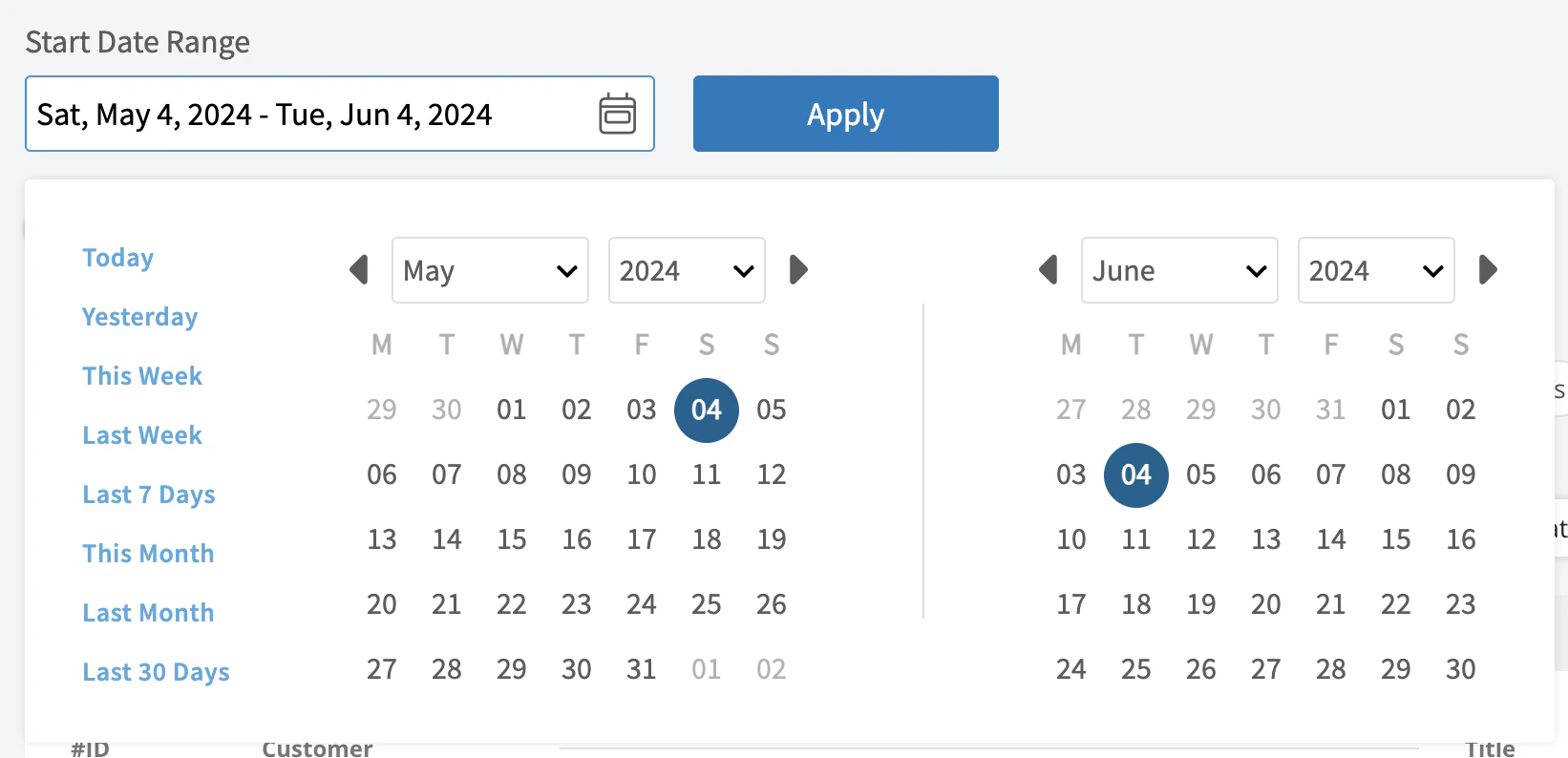
- Today: From 12:00 AM to the current time
- Yesterday: Previous day from 12:00 AM to 11:59 PM
- This Week: From Monday through Sunday of the current week
- Last Week: Previous week
- Last 7 Days: Previous seven days, including today
- This Month: From the first of the current month to the current day
- Last Month: Entire month before the current month
- Last 30 Days: Previous 30 days, including today
- Custom: Use the calendar to select start and end dates
Columns
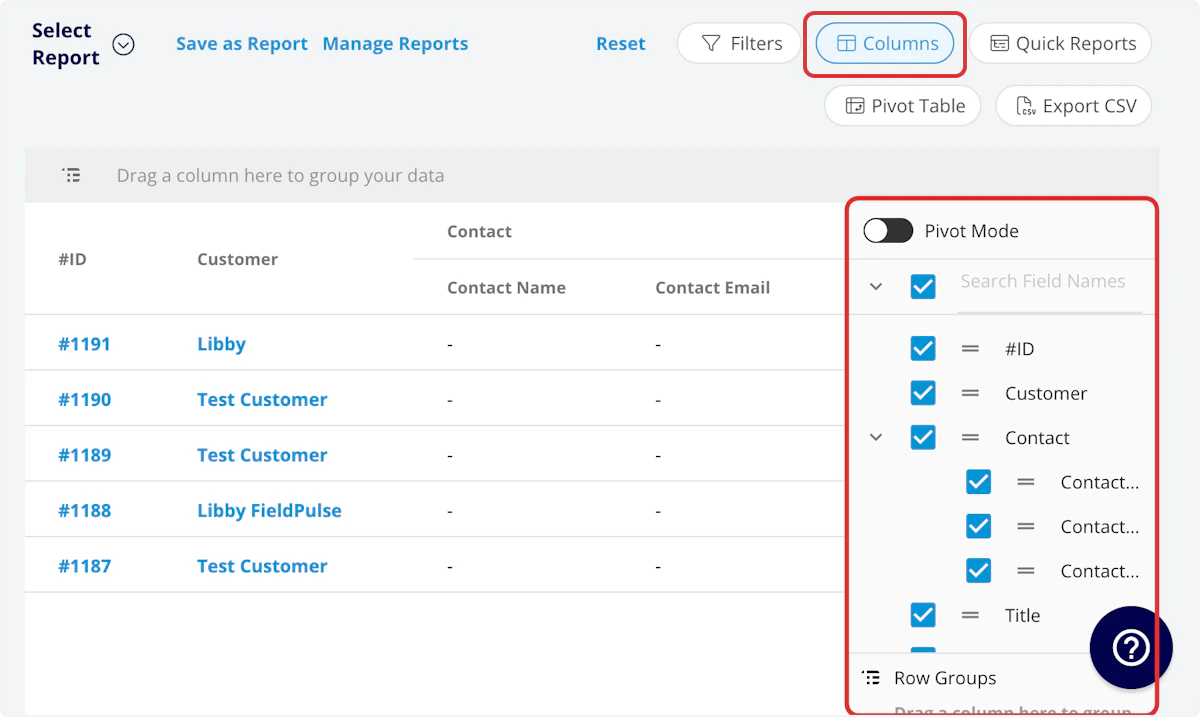
- #ID: Invoice number
- Status: Invoice status
- Customer: Customer linked to the invoice
- Invoice Title: Invoice title
- Parent Job: Job linked to the invoice
- Related Estimates: Record numbers for estimates linked to the invoice
- Pre-Tax Subtotal: Total dollar amount on invoice before tax
- Invoice Total: Total dollar amount on invoice
- QuickBooks Class: If you sync with QuickBooks, the class will be displayed here.
- Cost Basis: Total costs associated with the invoice
- Profit Margin: Invoice profit in dollars
- Profit Margin Percentage: Invoice profit margin percentage
- Amount Paid: Dollar amount paid on invoice
- Amount Due: Dollar amount outstanding on invoice
- Invoiced Date: Date and time the invoice was sent to the customer
- Due Date: Date and time the invoice is due
- Created Date: Date and time the invoice was created
- Invoice Notes: Notes on invoice
- Internal Notes: Internal notes on invoice
- Tags: Tags on invoice
- Total Product Price: Break down your invoice total by products
- Total Service Price: Break down your invoice total by services
- Tax Rate: Tax rate percentage on invoice
- Tax: Dollar amount of tax on invoice
- Invoice Creator: Author of the invoice
- Commission Method: Method for commission on invoice
- Commission %: Commission rate percentage
- Commission: Dollar amount of commission on invoice
- First Payment Date: Date of first customer payment on invoice
- Last Payment Date: Date of last customer payment on invoice
- Related Project: Project linked to the invoice
- Location: Service location on the invoice
- QuickBooks Originated: Yes or No indicating if the record originated in QuickBooks.
- Custom Fields: User-created fields related to the invoice
-
Customer
- Custom Fields: User-created fields related to the customer record
- Customer Phone: Customer’s primary phone number
- Customer Email: Customer’s primary email address
- Customer Phone 2: Customer’s secondary phone number
- Customer Email 2: Customer’s secondary email address
- Customer Assigned To: User assigned to customer record
- Customer Lead Source: Lead source on the customer record
- Customer Pipeline Status: Customer’s custom sales pipeline status
- Customer Next Steps: Next steps listed on custom sales pipeline
- Customer Notes: Notes on customer record
- Customer Job Notes: Job notes on customer record (automatically inserted onto job records)
- Customer Created Date: Date and time the customer was added to FieldPulse
- Customer Tags: Tags attached to the customer record
- Parent Customer: Group and analyze data by the Parent Customer
-
Job
- Custom Fields: User-created fields related to the job record
- Status: Status of linked job
- Notes: Notes on job record
- Field Notes: Notes left by assigned user(s) on the job
- Tags: Tags attached to the job record
- Assigned Team Members: Users assigned to the job
Filters
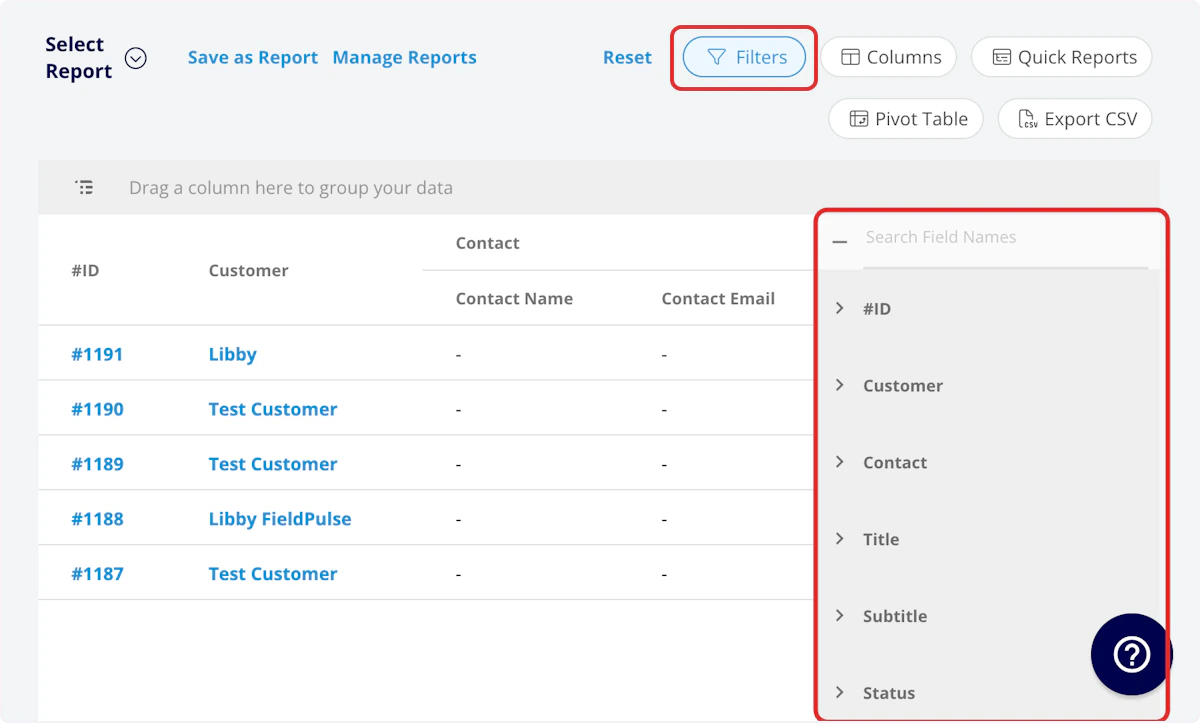
- #ID: filter by contents
- Status: select status
- Customer: filter by contents
- Invoice Title: filter by contents
- Parent Job: filter by contents
- Parent Job Status: filter by contents
- Related Estimates: filter by contents
- Invoice Total: filter by contents
- Pre-Tax Subtotal: filter by contents
- Cost Basis: filter by contents
- Profit Margin: filter by contents
- Profit Margin Percentage: filter by contents
- Amount Paid: filter by contents
- Amount Due: filter by contents
- Invoiced Date: filter by date
- Due Date: filter by date
- Created Date: filter by date
- Invoice Notes: filter by contents
- Internal Notes: filter by contents
- Tags: select tag
- Tax Rate: filter by contents
- Tax: filter by contents
- Invoice Creator: filter by contents
- Commission Method: select method
- Commission %: filter by contents
- Commission: filter by contents
- First Payment Date: filter by date
- Last Payment Date: filter by date
- Related Project: select project
- Related Project Status: select status
- Location: filter by contents
- Custom Fields: select custom field
-
Customer
- Customer Phone: select phone number
- Customer Email: select email address
- Customer Phone 2: select phone number
- Customer Email 2: select email address
- Customer Assigned To: filter by contents
- Customer Lead Source: select lead source
- Customer Pipeline Status: select status
- Customer Next Steps: filter by contents
- Customer Notes: filter by contents
- Customer Job Notes: filter by contents
- Customer Created Date: filter by contents
- Customer Tags: filter by contents
-
Job
- Status: select status
- Notes: filter by contents
- Field Notes: filter by contents
- Tags: filter by contents
- Assigned Team Members: filter by contents
Common Invoice Reports
Overdue Invoices
Use this report to view all overdue invoices. Columns: Customize to your needs, but must include Status and Due Date Filters: Status = Partially Paid or Invoiced, and Due Date = OverdueCommission by Team Member
Use this report to view how much commission you need to pay each team member. Columns: Customize to your needs, but must include Invoice Creator and Commission. (Note: We recommend to also include Commission Method and Commission %.) Filters: Status = Invoiced or Paid (Note: this will depend on when you pay commission in your sales process) Group by: Invoice CreatorInvoice Cost Basis & Profit Margin
Use this report to better understand your cost basis and profit margin. Take the report to the next level by pulling the same report with estimates and comparing your predicted vs. actual cost basis and profit margin. Columns: Customize to your needs, but must include Cost Basis and Profit Margin. Filters: Status = Invoiced or PaidHave additional questions? Contact us at support@fieldpulse.com or use the chat feature in the bottom right corner of your screen.