

Yes, the best way to do this is to utilize the Estimate Report.Documentation Index
Fetch the complete documentation index at: https://fieldpulse.mintlify.app/llms.txt
Use this file to discover all available pages before exploring further.
How to Find Closing Rates
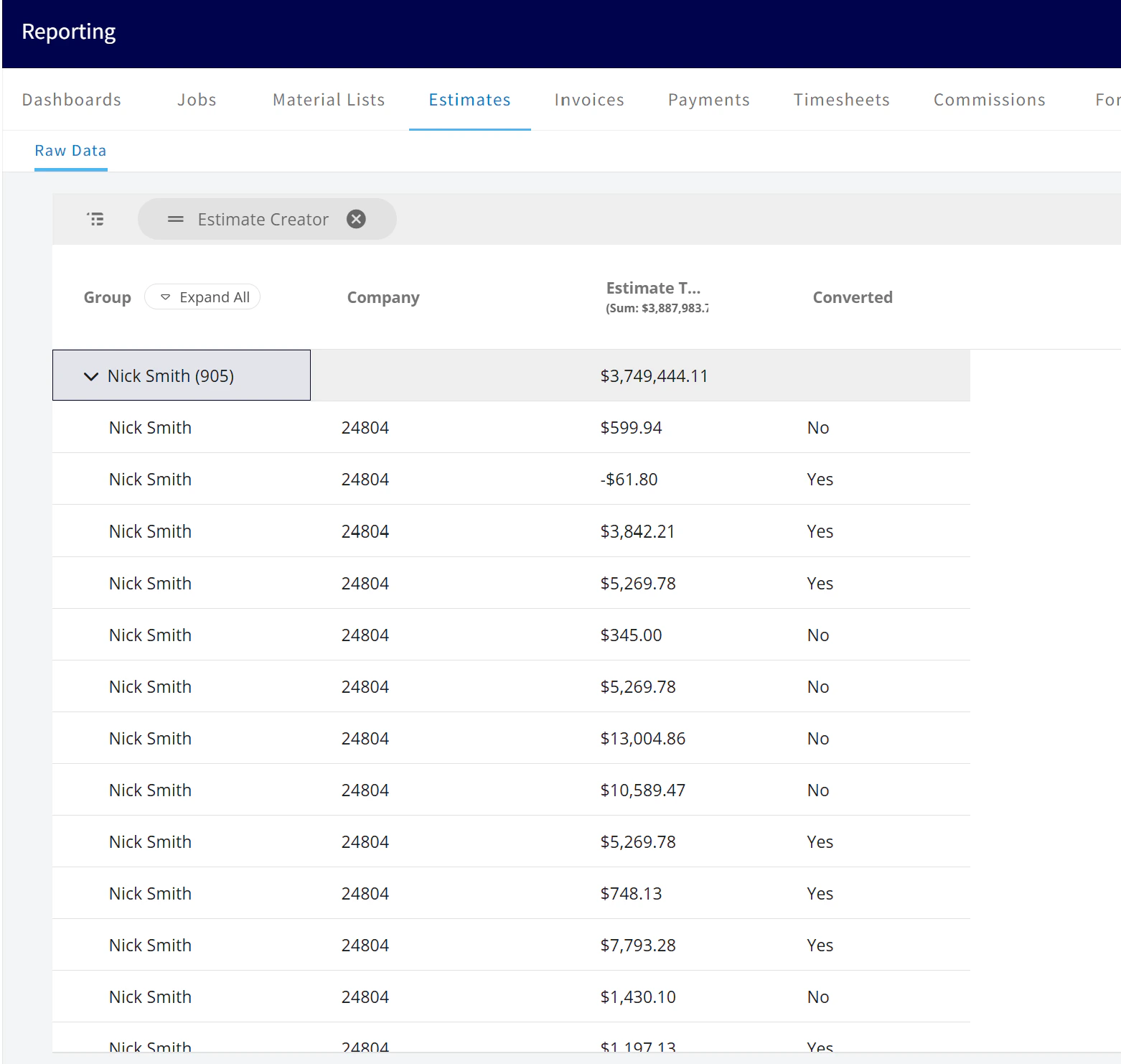
To find the closing rate for each technician, you can configure the Estimate Report to show the necessary information:- Navigate to the Estimate Report; access the report.
- Group By function; select Creator to organize the report by the technician who created each Estimate.
- Add a column for Converted; this column will indicate whether an Estimate was “converted” into a job or invoice, which is a key metric for a successful closing.
Have additional questions? Contact us at support@fieldpulse.com or use the chat feature in the bottom right corner of your screen.