

In FieldPulse, you can create multiple company profiles that can be easily switched when sending estimates and invoices. For instance, you might have a separate HVAC business with a distinct logo that you want to show to customers, or you may want to represent a different location of the same business.Documentation Index
Fetch the complete documentation index at: https://fieldpulse.mintlify.app/llms.txt
Use this file to discover all available pages before exploring further.
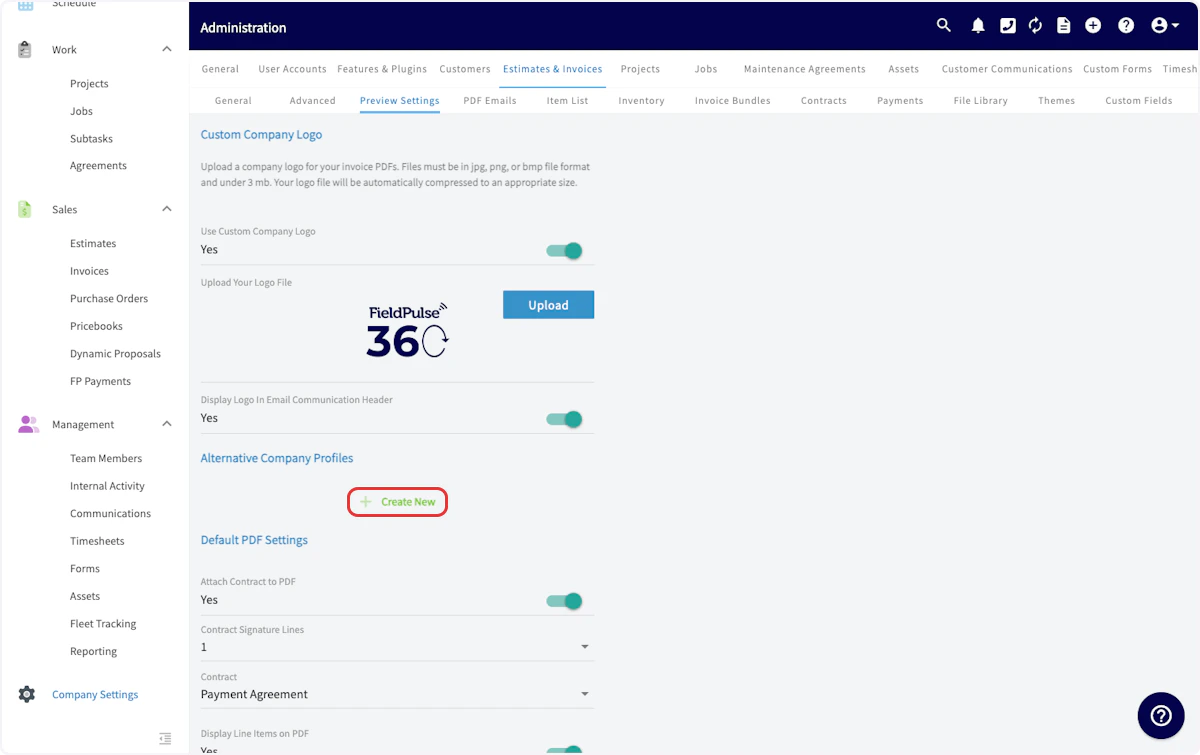
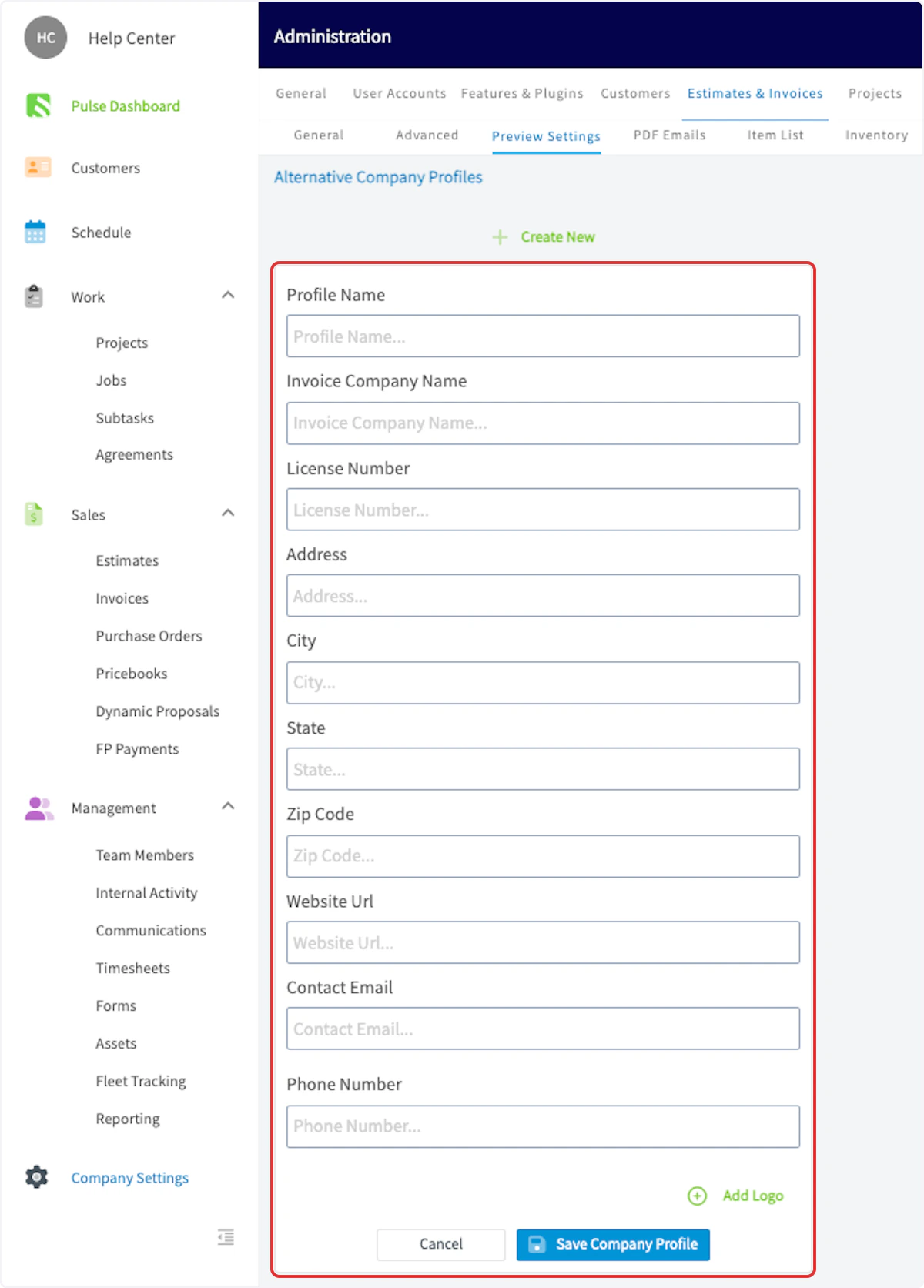
Creating an Alternative Company Profile
To create an alternative company profile, navigate to Company Settings. Select Estimates & Invoices, then Preview Settings.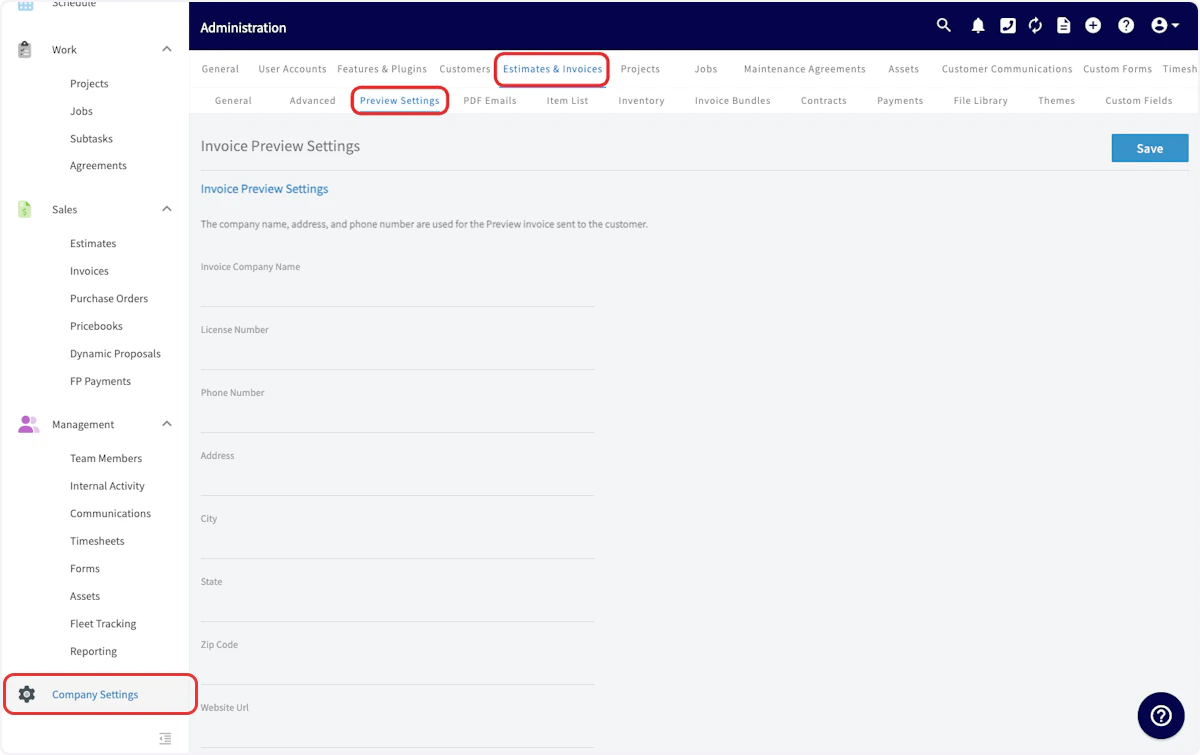
Using an Alternative Company Profile
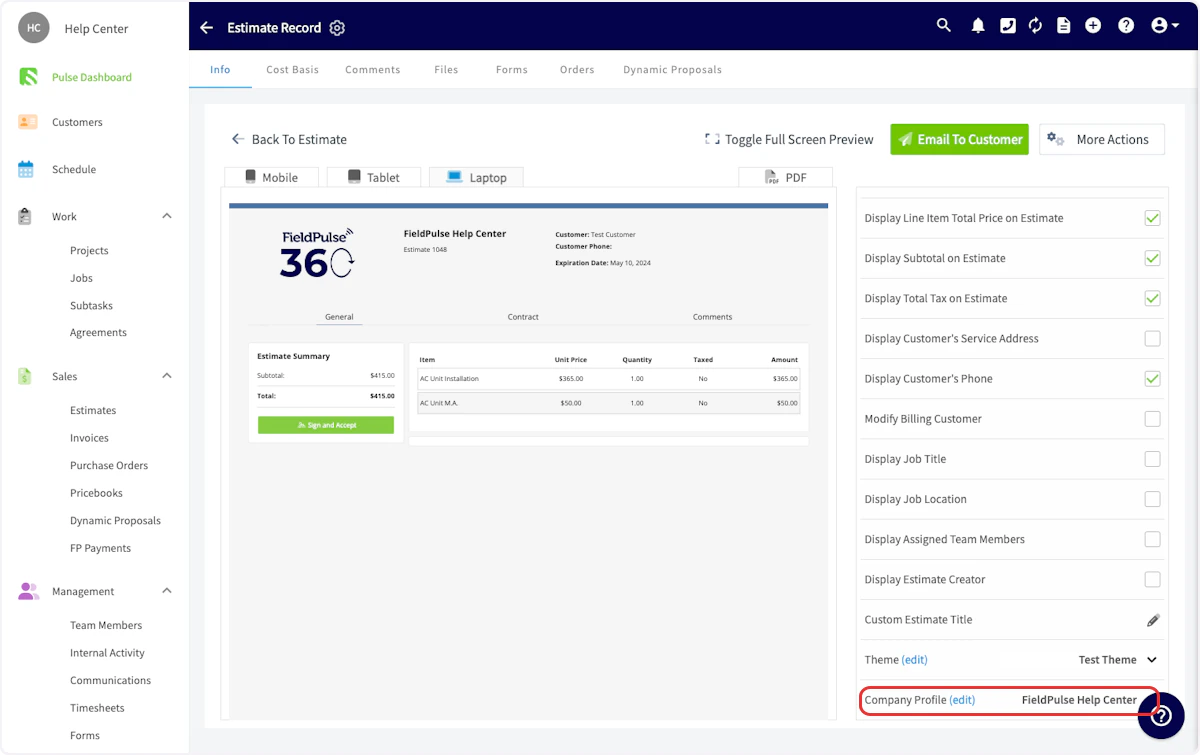
To use an alternative company profile on an estimate or invoice, begin by navigating to the estimate/invoice record and selecting View Estimate.

Have additional questions? Contact us at support@fieldpulse.com or use the chat feature in the bottom right corner of your screen.