

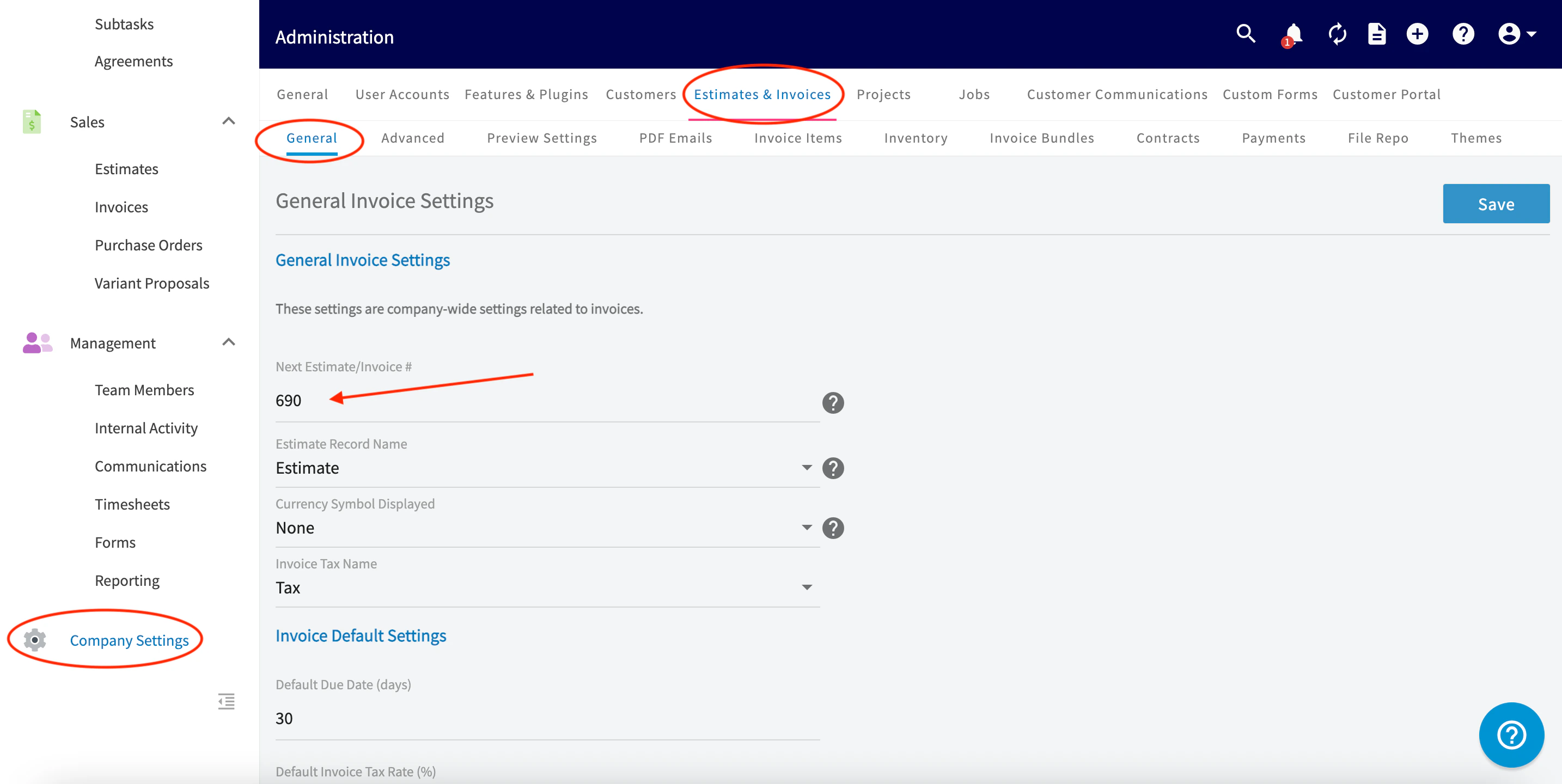
Yes, the estimate/invoice numbering system can be modified to begin at a designated number. To change the starting number, click Company Setting s in the lefthand menu, then click on the Estimates & Invoices sub-header. Ensure you are in the General tab, then type in the number you’d like your estimates and invoices to start at under Next Estimate/Invoice #. Don’t forget to press Save.Documentation Index
Fetch the complete documentation index at: https://fieldpulse.mintlify.app/llms.txt
Use this file to discover all available pages before exploring further.
Have additional questions? Contact us at support@fieldpulse.com or use the chat feature in the bottom right corner of your screen.