

To export your estimates or invoices, select Estimates or Invoices in the left-side menu, then click Export. You will receive an email to your FieldPulse account email address with the report.Documentation Index
Fetch the complete documentation index at: https://fieldpulse.mintlify.app/llms.txt
Use this file to discover all available pages before exploring further.
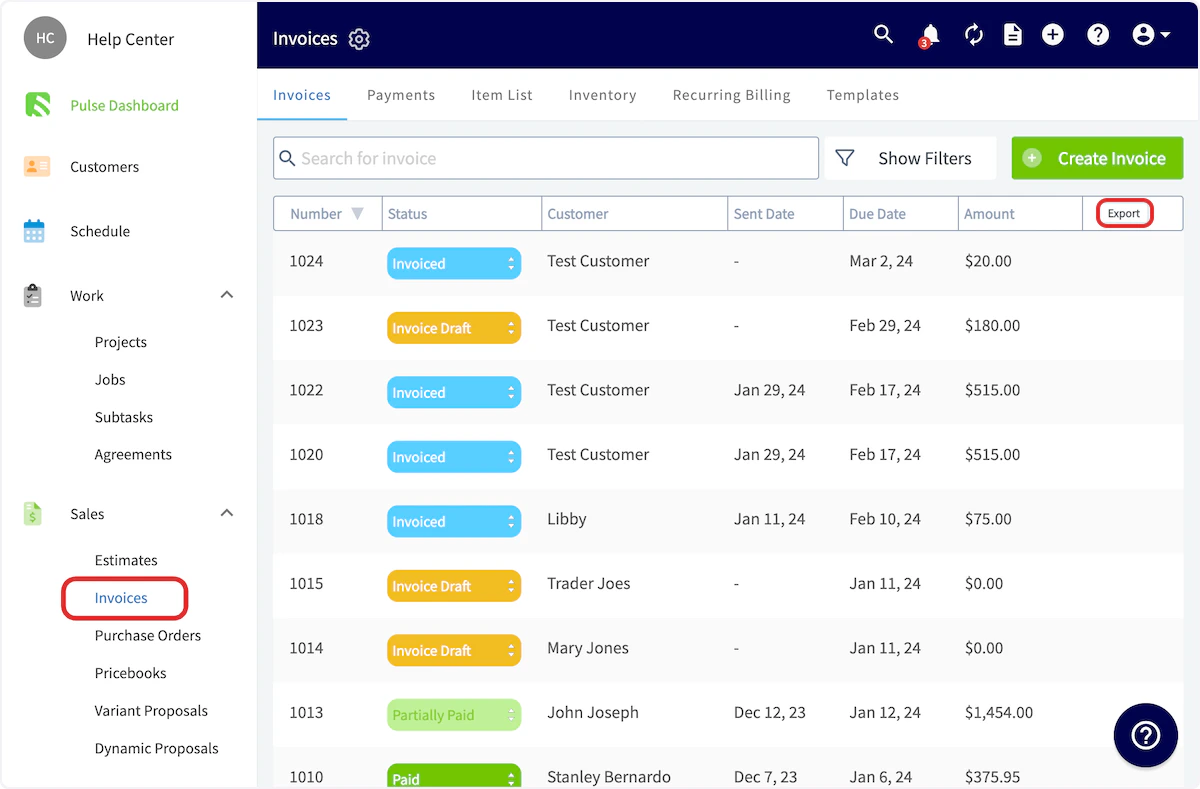
- Number
- Status
- Team Member
- Customer
- Project
- Job title
- Sent date
- Due date
- Amount
Have additional questions? Contact us at support@fieldpulse.com or use the chat feature in the bottom right corner of your screen.