

In FieldPulse you can set up invoice bundles for services and parts that are often added together on an estimate or invoice, to save you time. You can also create groupings to group line items together with a title and total price to create a more streamlined estimate/invoice. Hide the line item names and/or prices from customers at your discretion.Documentation Index
Fetch the complete documentation index at: https://fieldpulse.mintlify.app/llms.txt
Use this file to discover all available pages before exploring further.
Invoice Bundles
To set up an invoice bundle, navigate to Company Settings in the left-side menu and click Estimates & Invoices. Then click Invoice Bundles in the sub header. On the Invoice Bundles page, click Create New. ( Note: You can also edit and delete existing invoice bundles from this page by clicking on them.)


Groupings
Groupings allow you to group together related line items with a title and price. You can then customize what the customer can view in the grouping. You can add invoice bundles directly into groupings or create a grouping. When creating an invoice, select Add Grouping to build a grouping.
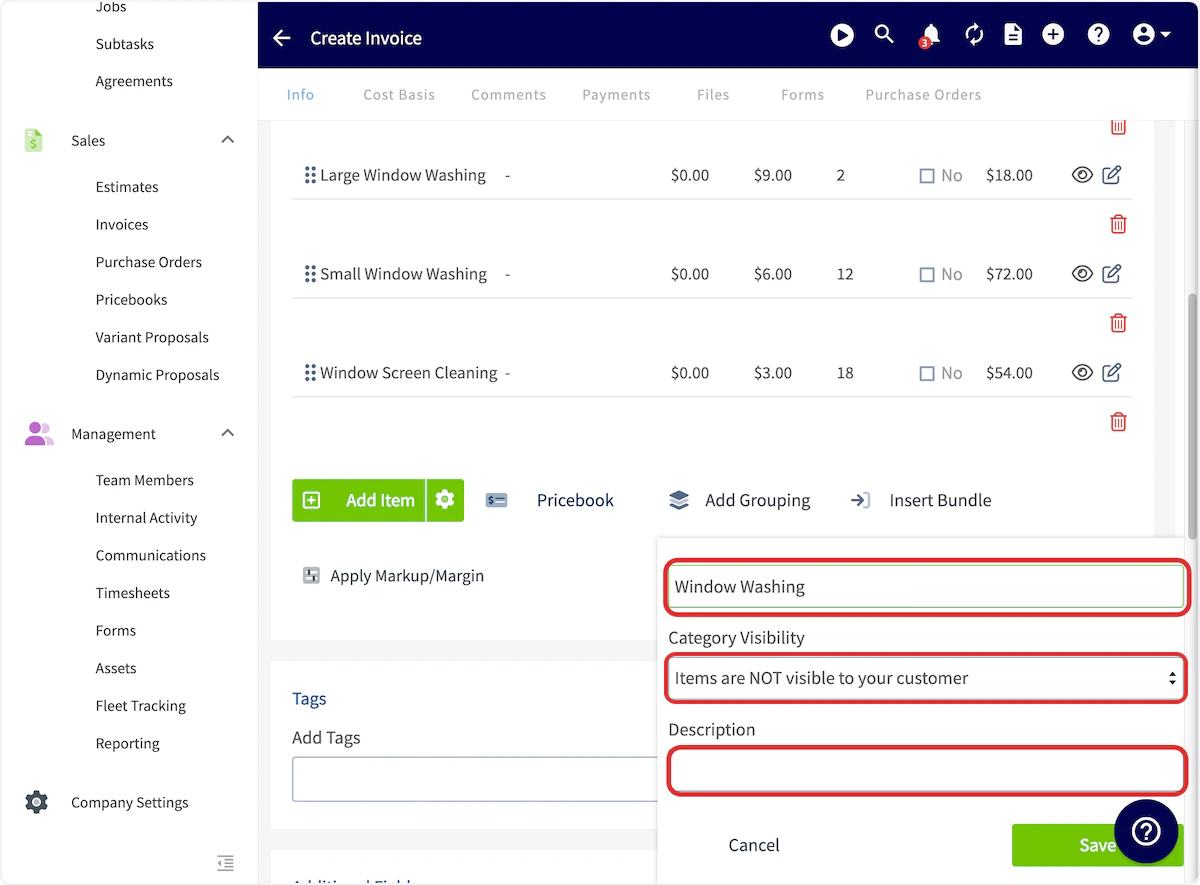


Grouping Examples
If you select Items and prices are visible to your customer, your invoice will look like this:


Video Tutorial
Have additional questions? Contact us at support@fieldpulse.com or use the chat feature in the bottom right corner of your screen.